
A court reporter’s laptop does a lot of work. It runs demanding software like CaseCatalyst, Eclipse, and ForTheRecord. It handles large audio and video files from depositions and hearings. And it travels — to law offices, courthouses, and deposition suites — which means portability and battery life matter as much as raw power.
Most consumer laptops are not built with these demands in mind. The three options below are. Each offers a different balance of weight, power, and storage to suit different working styles.
What to Look for in a Court Reporter Laptop
The two specs that matter most for court reporting work are RAM and storage. Court reporting software is not light — running CaseCatalyst or Eclipse alongside audio or video playback, a browser, and communication tools simultaneously can tax a machine with insufficient memory. 16GB of RAM is a workable minimum; 32GB gives you real headroom. For storage, court reporters regularly accumulate large files: video depositions, long audio recordings, case archives. A 512GB SSD fills up faster than you might expect. 1TB or more is worth the upgrade.
Beyond specs, battery life matters for reporters who work all day away from an outlet, and weight matters for anyone carrying a bag between multiple locations. If you are still exploring the profession, our guide on how to become a court reporter covers the full equipment picture alongside software, certification, and training.
Lenovo ThinkPad X1 Carbon
The Lenovo ThinkPad X1 Carbon is a favorite among professionals for its lightweight design, making it extremely portable and easy to carry between assignments. Despite its slim profile, it packs a punch with ample storage and processing power.
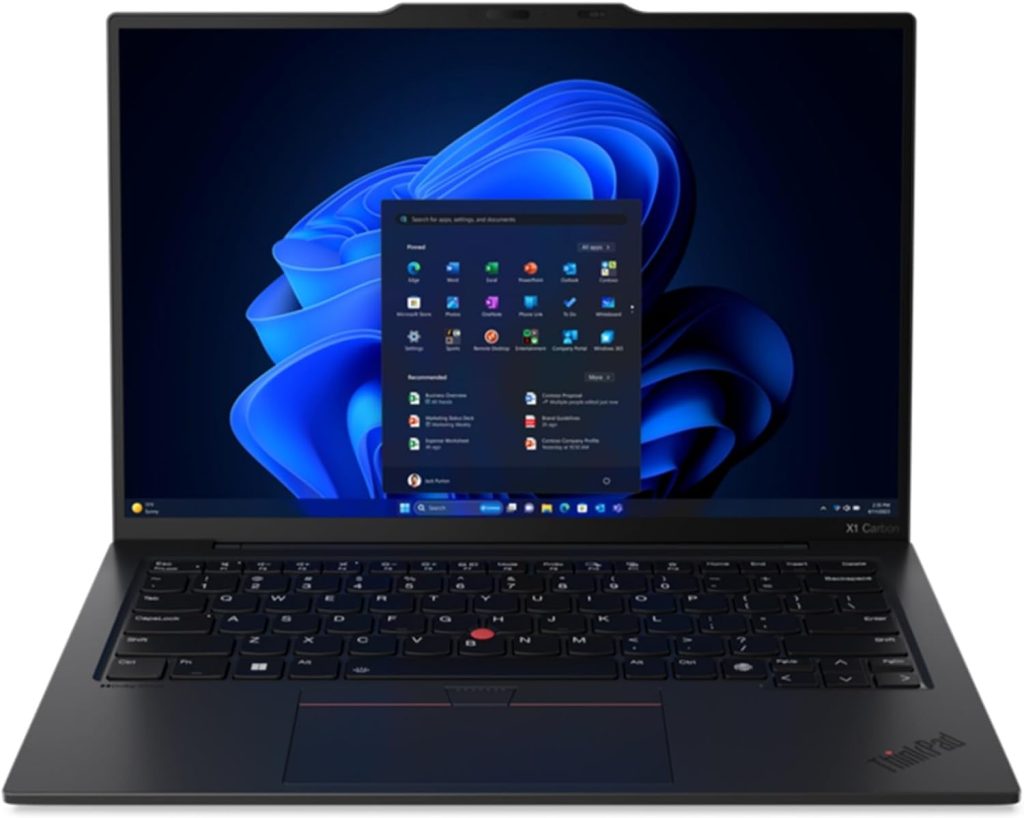
- Storage: Available with up to 1TB SSD, offering more than enough space for large video and audio files.
- Memory: With up to 32GB of RAM, the X1 Carbon ensures smooth operation when running multiple programs, such as CaseCatalyst and other transcription software.
- Portability: At just 2.48 pounds, this is one of the most portable options, perfect for court reporters who are constantly on the move.
- Battery Life: Boasts an impressive battery life of up to 15 hours, so you can work without constantly searching for an outlet.
- Best For: Reporters looking for a highly portable, lightweight laptop without sacrificing power or storage.
Price: Starting at $1,900
Dell Precision 5680
The Dell Precision 5680 is a full-sized workstation built for those who need serious processing power and ample storage. It’s perfect for court reporters who work with large amounts of data, including video and audio files, and need a machine that can handle demanding tasks.
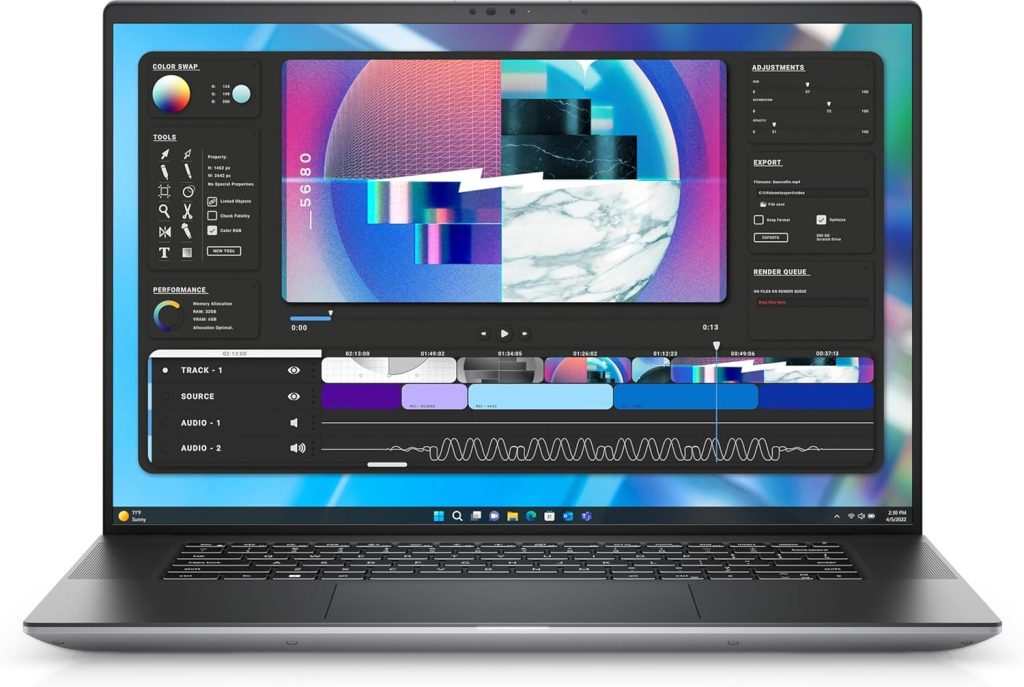
- Storage: With options up to 4TB SSD, the Precision 5680 offers extensive storage, ideal for managing vast amounts of court-related files.
- Memory: Configurable with up to 64GB of RAM, this laptop ensures smooth performance, even when working with intensive court reporting software like ForTheRecord, while multitasking without any slowdown.
- Portability: Weighing around 4.6 pounds, this laptop is heavier than the X1 Carbon but packs significantly more power, making it a top choice for stationary work or when maximum performance is needed.
- Display: The large 16-inch UHD display is perfect for reviewing detailed transcripts, video playback, and multitasking.
- Best For: Reporters who prioritize power and storage over portability, and those handling extensive video and audio files regularly.
Price: Starting at $1,800
Apple MacBook Pro 16″ M3 Pro (Running Windows)
The Apple MacBook Pro 16″ with M3 Pro chip is a powerful machine that offers excellent performance and can be configured to run Windows for those court reporters who prefer Apple’s hardware but need Windows for court reporting software compatibility.
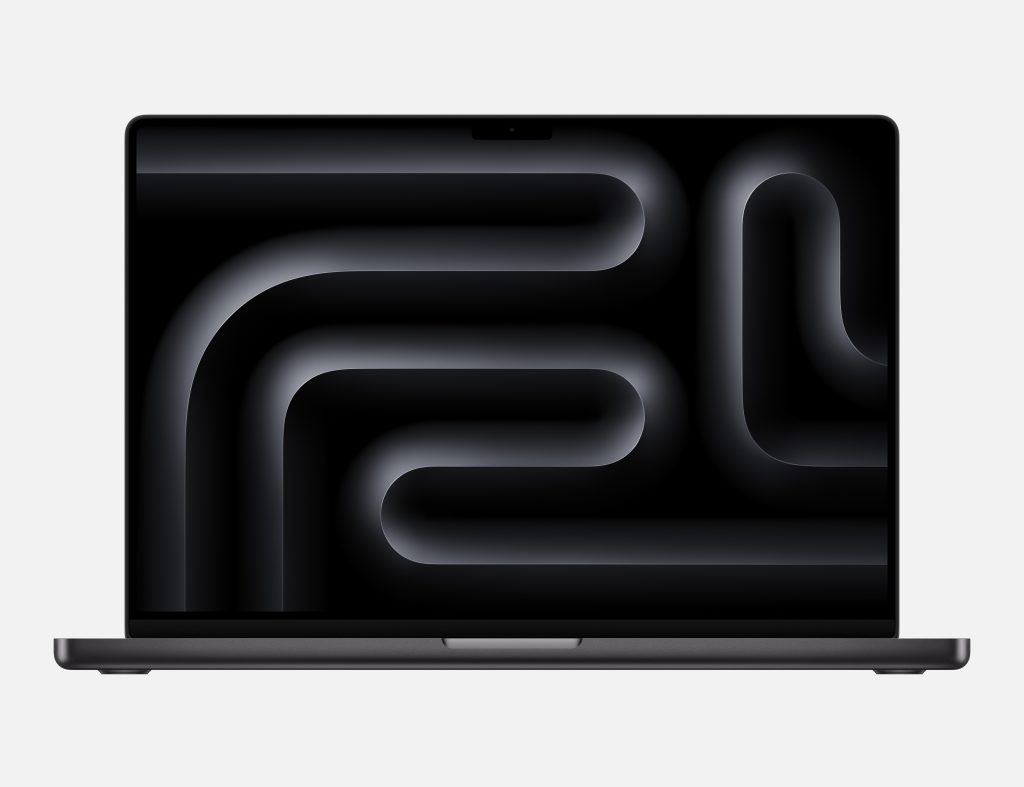
- Storage: Configurable up to 8TB SSD, making it a top choice for those who need massive amounts of space for storing case files, transcripts, and large video/audio recordings.
- Memory: The MacBook Pro comes with up to 64GB of unified memory, ensuring it can handle any court reporting software while maintaining a fluid, fast user experience.
- Versatility: With the option to run Windows via Boot Camp or a virtual machine, this laptop gives you the flexibility to switch between macOS and Windows, depending on your needs.
- Performance: The M3 Pro chip offers blazing-fast performance, making it more than capable of running transcription programs, handling heavy data, and multitasking.
- Portability: At 4.7 pounds, it’s slightly heavier than the X1 Carbon but still manageable for court reporters on the go, especially with its robust battery life of up to 17 hours.
- Best For: Reporters who love the Apple ecosystem but need the flexibility to run Windows for court reporting tasks.
Price: Starting at $2,899
Why Storage and Memory Matter for Court Reporters
Storage: Court reporters regularly handle large files, including video depositions, court hearings, and audio recordings. Having ample storage space ensures you don’t run out of room for important case files and can work without constantly offloading data to external drives.
Storage
Court reporters regularly handle large files, including video depositions, court hearings, and audio recordings. Having ample storage space ensures you don’t run out of room for important case files and can work without constantly offloading data to external drives.
Memory (RAM)
Running court reporting software like CaseCatalyst, Eclipse, or ForTheRecord smoothly requires a decent amount of RAM. A higher RAM capacity allows you to multitask—whether it’s running multiple applications, handling large audio files, or working with high-resolution video footage—without the system slowing down.
Choosing the Right Laptop for Your Needs
For Portability
If you’re frequently on the go and need a lightweight, high-performance laptop, the Lenovo ThinkPad X1 Carbon is the best option, offering a perfect balance of portability and power.
For Maximum Power
If storage and raw processing power are your top priorities, the Dell Precision 5680 is your go-to option. Its workstation-level performance ensures you can handle any task, no matter how demanding.
For Apple Fans
If you prefer Apple’s ecosystem but need Windows compatibility, the Apple MacBook Pro 16″ M4 Pro offers unparalleled versatility with the ability to run both macOS and Windows, alongside massive storage options and excellent performance.
Each of these laptops is designed to meet the needs of court reporters, ensuring smooth workflow, secure data storage, and comfortable use over long hours. Whether you need portability or power, these options provide reliable performance for any court reporting task.
Essential Accessories for Court Reporters: Docks, Card Readers, and CD Drives
Many modern laptops are built for portability, which often means fewer ports and no built-in CD drives. For court reporters who handle a variety of data sources, external accessories like docks, card readers, and CD drives can be incredibly useful. Here’s a look at some must-have accessories to complement your laptop setup:
Docking Stations
A docking station can expand your laptop’s input/output (I/O) capabilities, allowing you to connect multiple devices and peripherals at once. This is especially valuable for court reporters who may need additional USB ports, HDMI, Ethernet, and more.
- Recommended Models:
- CalDigit TS3 Plus: Offers a wide range of ports including USB-A, USB-C, HDMI, SD card reader, and Ethernet, all in a compact, high-quality build.
- Dell WD19: Perfect for Dell laptop users, it provides seamless connectivity with additional USB ports, HDMI, DisplayPort, and Ethernet.
- Benefits:
- Connect multiple devices simultaneously (e.g., keyboard, mouse, external drives).
- Power your laptop and connected devices through a single power source.
- Easily transition between office and mobile setups.
External Card Readers
Court reporters often receive case materials on SD cards, which may require an external card reader if your laptop doesn’t include one. A reliable card reader lets you quickly access files without hassle.
- Recommended Models:
- SanDisk Extreme PRO SD UHS-II Card Reader: Known for its fast transfer speeds, this card reader is ideal for quickly moving large audio and video files.
- Anker 2-in-1 USB-C Card Reader: Compact and portable, this card reader supports both SD and microSD cards and is compatible with USB-C ports.
- Benefits:
- Quickly transfer data from SD cards to your laptop.
- Compact and easy to carry in your bag.
- Allows easy access to court video/audio files provided on SD cards.
External CD/DVD Drives
Although most laptops no longer include built-in CD/DVD drives, many court reporters still receive case files on CDs or DVDs. An external CD/DVD drive ensures you can access these files without issue.
- Recommended Models:
- LG Electronics 8X USB 2.0 Super Multi Ultra Slim Portable DVD Writer: Compact and affordable, this drive can handle CD and DVD formats and is compatible with both Windows and macOS.
- Apple USB SuperDrive: Designed for Mac users, this external drive is sleek, easy to use, and compatible with all Mac laptops.
- Benefits:
- Allows playback of CDs and DVDs, which can be crucial for accessing certain court-provided materials.
- Simple plug-and-play functionality with most laptops.
- Ideal for archiving and storing court files or backing up important data.
Building Out Your Full Setup
A good laptop is the center of a court reporter’s workstation, but the rest of the setup matters too. A quality transcription keyboard reduces fatigue over long sessions. A reliable pair of headphones makes audio review significantly easier. A well-designed chair matters more than most reporters acknowledge until they have spent six hours in a bad one. And for reporters who handle audio backup, our guide to the best digital recorders for court reporters covers the top options for backup and redundancy.
If you are interested in joining the profession, our overview of stenography machines and our guide on how to become a court reporter are good starting points. Vernon Court Reporters is also actively seeking certified stenographers for overflow work in Washington State.
Frequently Asked Questions
There is no single standard, but Windows laptops are most common because the major court reporting software — CaseCatalyst, Eclipse, and most stenography machine integration tools — is built for Windows. The Lenovo ThinkPad line and Dell Precision series are popular choices among working reporters. Mac users who prefer Apple hardware typically run Windows through Boot Camp or a virtual machine.
16GB is a workable minimum for running court reporting software, but 32GB gives you meaningful headroom for multitasking — running your steno software, audio or video playback, and other tools simultaneously without slowdown. If you are buying new, opt for 32GB if your budget allows.
More than you might initially expect. Video depositions, long audio recordings, and case archives accumulate quickly. A 512GB SSD can fill up faster than expected if you keep files locally. A 1TB SSD is a more comfortable baseline, and reporters who regularly handle video work should consider 2TB or more, or supplement with external storage.
Yes, but with a caveat. Most professional court reporting software is Windows-only, so Mac users need to run Windows via Boot Camp or a virtualization tool like Parallels. The MacBook Pro handles this well, but it adds a layer of setup. Reporters considering a Mac should verify their specific software’s compatibility before committing.
A stenography machine is the core tool for real-time court reporters. Beyond that, most reporters benefit from a good pair of headphones for audio review, an ergonomic keyboard, a supportive chair for long sessions, and a digital recorder for audio backup.