If you’re serious about legal transcription — speed, accuracy, and comfort aren’t optional. One upgrade many transcriptionists overlook (until they’re frustrated) is the foot pedal.
Over 43 years of working with court reporters and transcriptionists, we’ve seen that the right pedal doesn’t just help — it transforms your workflow. You keep your hands on the keyboard, your mind on the content, and the playback under control. If you choose the wrong one, you’ll fight cables, lag, and awkward foot motion — and that kills minutes.
Below you’ll find the best pedals currently trusted by legal transcription pros (with one caution you’ll want to avoid).
Why Invest in a Quality Transcription Foot Pedal?
Transcription foot pedals allow transcriptionists to control audio playback hands-free, using their feet to play, pause, rewind, or fast forward without interrupting their typing flow. This capability is essential in a legal setting where accuracy and speed are paramount. Efficient use of a foot pedal can drastically reduce the transcription time and increase a transcriptionist’s ability to focus on the content, which is critical for producing precise legal records.
For more insights on how transcription enhance performance, you can read about their benefits, which highlights the ergonomic and efficiency gains from using these devices.
How to Choose the Right Transcription Foot Pedal
Selecting a foot pedal isn’t just about buying hardware — it’s about choosing a tool that supports your accuracy, pace, and comfort. The right pedal becomes part of your workflow rhythm, helping you stay focused and efficient for hours.
Here’s what experienced legal transcriptionists pay attention to:
Ergonomic Design
You’ll be using your pedal constantly, often for long sessions. Look for a design that feels natural and reduces foot strain — a comfortable pedal helps you maintain speed and consistency without fatigue.
Tip: A pedal that “disappears” under your foot is usually the right fit.
Durability & Build Quality
Legal transcription can involve heavy daily use. A reliable pedal won’t loosen, lag, or wear down quickly. Solid materials and a sturdy base mean fewer interruptions and a tool that lasts.
Software Compatibility
Before buying, confirm your pedal works with your transcription software and operating system. Some models are “plug-and-play” across platforms — others aren’t, and that can slow you down fast.
Pro move: Check compatibility first. Returning gear wastes time you could spend earning.
Wired vs. Wireless
Wireless pedals offer freedom and a cleaner setup, but only if the connection is reliable and battery life holds up. Wired pedals can be more dependable for long legal files and high-volume workflows.
Customizable Controls
Advanced pedals let you assign different playback functions to each pedal. This gives you smoother control and can shave seconds off every stop-rewind-play cycle — seconds that add up over long hearings.
Price vs. Performance
Budget matters, but so does reliability. Cheaper models can work well for beginners, while transcriptionists working full-time often prefer investing in longer-lasting, more responsive options.
Think of your pedal as a productivity tool — the right one pays for itself in speed and comfort.
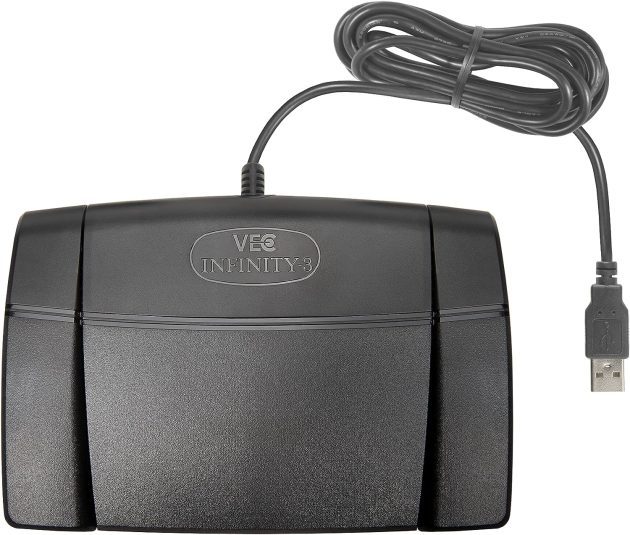
🎯 Best All-Around: Infinity USB Digital Foot Pedal
A longtime favorite in the legal transcription world, this pedal is trusted for one core reason: it just works. Designed for heavy, daily use, it keeps playback smooth and hands free so you can stay locked into your typing flow without constant stopping or clicking.
It features a three-pedal layout for effortless play, rewind, and fast-forward control — and the build quality means it won’t soften, lag, or lose responsiveness over time. If you work across multiple platforms or software systems, its broad compatibility makes it a dependable “plug-and-go” choice.
Why serious transcriptionists pick it:
- Plug & play with almost any major transcription software — no driver headache.
- Built with heavy-use durability: designed for long hearings, long files.
- Ergonomically optimized so your foot movement stays natural — fewer breaks in rhythm.
- What you’ll get: Fewer stops/starts → steadier typing pace → finish jobs faster.
Wired only (no wireless model), and it doesn’t offer advanced programmable functions — but that simplicity is part of why so many legal transcriptionists trust it.
Pricing:
Around $60 — a budget-friendly, professional-grade option that holds up over long-term use.
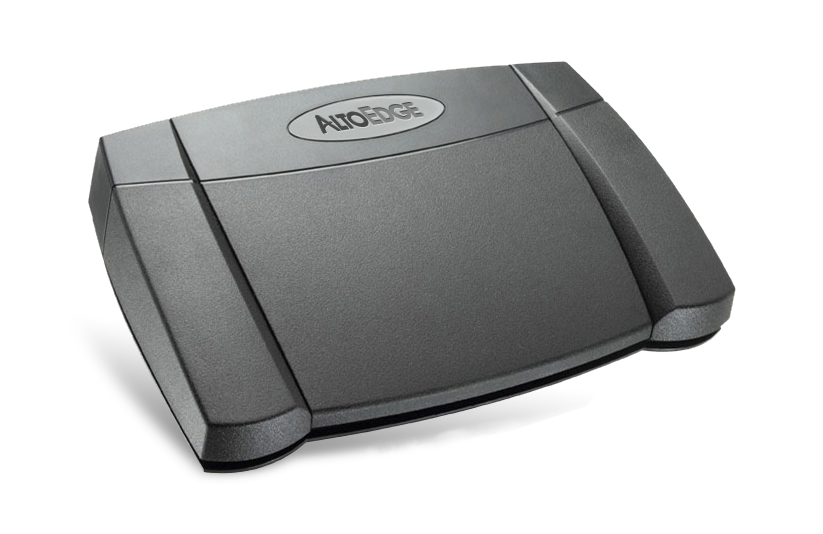
Best Alternative: AltoEdge USB Foot Pedal
If you’re using Express Scribe — especially the free version — this pedal belongs on your shortlist. The AltoEdge USB Foot Pedal is the only foot pedal fully compatible with Express Scribe Free, making it a standout choice for transcriptionists who want a professional workflow without committing to paid software yet.
We also reviewed Express Scribe in depth — and while it’s a great entry point, pairing it with the right pedal makes a noticeable difference in speed and comfort. (You can read our full Express Scribe review here when you’re ready.)
This model features a traditional three-pedal layout for smooth stop/rewind/play control, and its build quality holds up well for daily use. With plug-and-play setup, you can go from unboxing to transcribing in minutes — no extra driver downloads or technical setup required.
Perfect for beginners, career-transitioners, and working transcriptionists who want a reliable setup at a reasonable price.
Why transcriptionists love it
- Compatibility with Express Scribe Free Version: The only foot pedal that works with the free version of Express Scribe, making it a unique and valuable option for cost-conscious transcriptionists.
- Durable Construction: Built to withstand extensive use with high-quality materials.
- Ergonomic Design: Comfortable to use for extended transcription sessions, minimizing foot fatigue.
- Plug-and-Play Setup: Easy to set up and use, with no complicated installation required.
Keep in mind
- Wired only — no wireless version available
- Missing advanced programmable functions found in higher-end pedals
Pricing:
Around $99 — a strong value given its unique compatibility and reliable build quality.
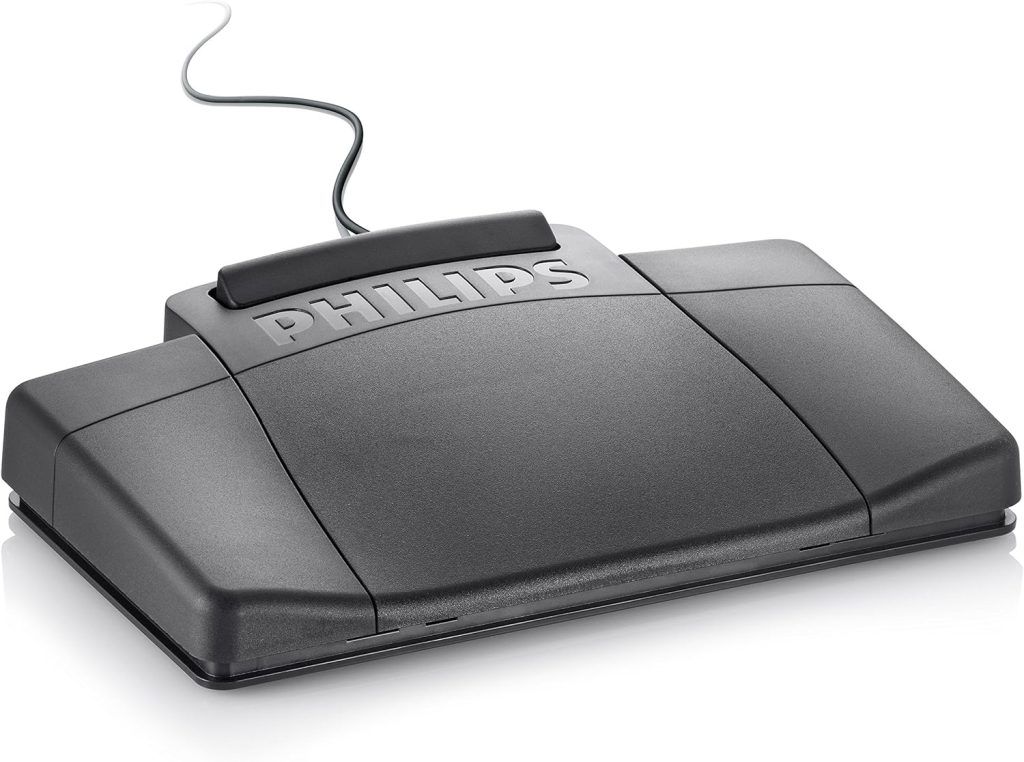
Philips USB Transcription Foot Control
The Philips foot pedal offers a bit more in terms of functionality with its four-pedal system, providing additional customizable controls. It’s built for durability and includes an anti-slip pad to ensure it stays in place, even during the most intensive transcription sessions. The robust construction and magnetic switches are designed to endure long periods of use without failure.
Pros:
- Customizable Pedals: Allows for programmable functions tailored to your needs.
- Comfortable Design: Ergonomic layout reduces foot strain during long sessions.
- Robust Build: Durable materials ensure long-lasting use.
Cons:
- Price: More expensive than some other models on the market.
- Wired Only: Does not offer a wireless option.
Pricing: The Philips ACC2330 Foot Pedal is priced at around $100, reflecting its advanced features and customizability.
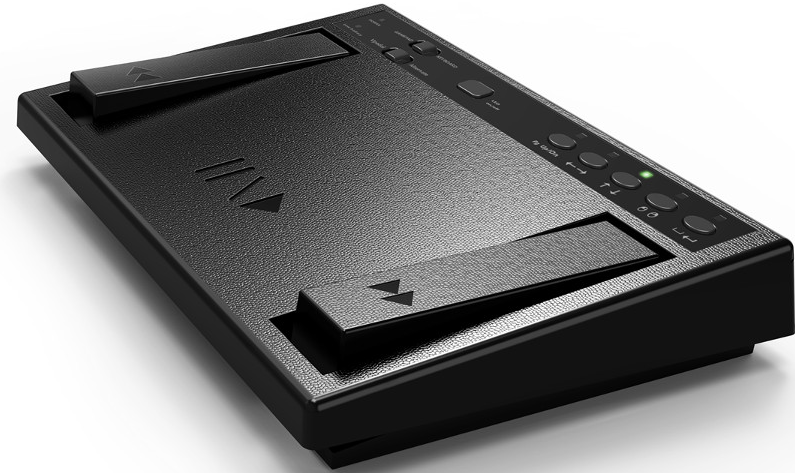
vPedal vP-4 MKII Wireless Transcription Foot Pedal
If you prefer a clutter-free workspace, the vPedal vP-4 MKII offers a wireless solution with a range of up to three meters. It uses a USB dongle for connectivity and is powered by AA batteries, offering both convenience and reliability. The pedal’s use of magnets for button presses ensures quiet operation, which is beneficial in the focused environment of legal transcription.
Pros:
- Wireless Convenience: Eliminates cable clutter and offers greater flexibility in workspace setup.
- Durable Construction: Built to last with high-quality materials, ensuring longevity.
- Ergonomic Design: Designed for comfort during extended use.
- Wide Compatibility: Compatible with a variety of transcription software.
Cons:
- Battery Life: Requires monitoring and managing battery life for uninterrupted use.
- Price: Higher cost compared to wired models due to wireless technology.
Pricing: The vPedal vP-4 MKII Wireless Foot Pedal is available for approximately $150, offering the benefits of wireless convenience and robust performance.
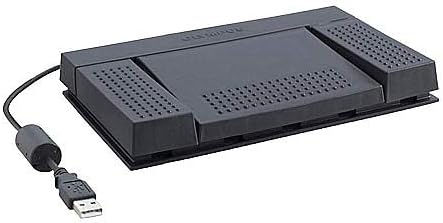
Olympus RS-27H Transcription Foot Pedal
The Olympus RS-27 Foot Pedal is a highly effective tool designed for professional transcriptionists seeking to enhance their efficiency and productivity. This foot pedal features three ergonomic pedals for play, rewind, and fast-forward functions, allowing users to control audio playback without removing their hands from the keyboard. Its durable construction and reliable performance make it suitable for extended use, ensuring that transcriptionists can work comfortably for long hours. Additionally, the foot pedal is compatible with various transcription software, providing versatility and seamless integration into existing workflows. For those looking to optimize their transcription setup, the Olympus RS-27 Foot Pedal is an excellent choice.
Pros:
- Ergonomic Design: Comfortable for long transcription sessions.
- Durability: Made with robust materials to withstand heavy use.
- Compatibility: Works well with a variety of transcription software and operating systems.
- Ease of Use: Simple setup and intuitive operation.
Cons:
- Wired Only: No wireless option, which could be a drawback for those looking to minimize cable clutter.
- Limited Customizability: Lacks advanced programmable features available in some other models.
Pricing: The Olympus RS-27 Foot Pedal is priced around $70, offering good value for its reliability and durability
FAQ
A transcription foot pedal is a device used by transcribers to control audio playback with their feet, allowing for hands-free operation while typing. This enhances efficiency and accuracy by enabling seamless navigation through audio files.
A transcription foot pedal connects to your computer, usually via USB, and is compatible with transcription software. By pressing the pedals, you can play, pause, rewind, and fast-forward audio without using your hands.
Using a foot pedal improves transcription speed and accuracy, reduces the risk of repetitive strain injuries, and allows for more efficient multitasking.
Key features to consider include compatibility with your transcription software, ergonomic design, durable construction, and customizable pedal functions.
Most transcription foot pedals are compatible with popular transcription software. However, it’s important to check the compatibility specifications before purchasing.
Yes, transcription foot pedals can be used with laptops. They typically connect via USB and are recognized by most transcription software.
Some highly recommended transcription foot pedals include the Infinity USB Digital Foot Control, Olympus RS27H, and Philips ACC2310.